
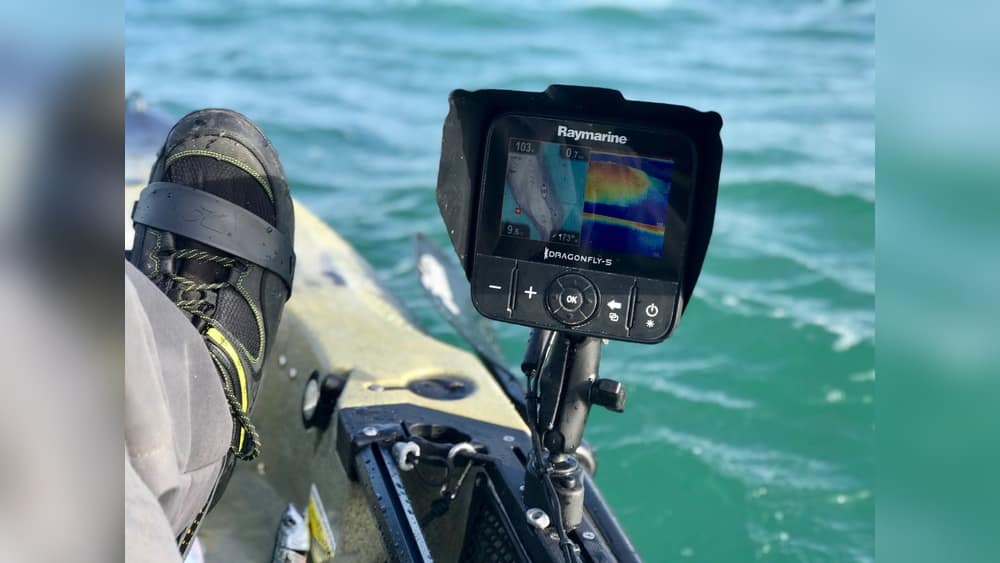
Kayak fishing has become one of the most exciting ways to enjoy the water and catch fish. But finding fish from a kayak isn’t always easy. A fish finder can be your secret weapon. It helps you see what’s under your kayak, spot fish, and understand the water depth. Installing a fish finder on a kayak may sound complicated, but with the right steps, anyone can do it—even if you’re not a tech expert. This guide will show you, step by step, how to install a fish finder on your kayak. Along the way, you’ll learn tips to avoid mistakes and make the most of your new device.
Understanding Fish Finders For Kayaks
Before you install, it’s important to know what a fish finder does. A fish finder uses sonar to send signals underwater. These signals bounce off objects like fish or the bottom, and the device shows you a picture on its screen. Some models also offer GPS, water temperature, and maps.
Types Of Fish Finders
There are a few main types you might see:
- Portable fish finders: Easy to move, but may have weaker signals.
- Fixed-mount fish finders: Stronger and more reliable, but need installation.
- Castable fish finders: You cast them with your fishing line; less common for kayaks.
Most kayak anglers choose fixed-mount or portable models.
What You Need Before You Start
Installing a fish finder requires a few tools and materials. Make sure you have:
- Fish finder unit (screen and transducer)
- Mounting brackets or base (often included)
- Battery (most use 12V sealed batteries)
- Waterproof box or bag for battery
- Wiring kit (wires, connectors, fuse)
- Drill with bits suitable for plastic
- Marine sealant
- Screwdriver
- Zip ties or cable clips
- Measuring tape
Some kayaks have special mounting points for accessories. Others require more creativity.
Choosing The Right Spot
Placement is important. The display unit should be where you can see and reach it. Common places are in front of the seat or on a side rail. The transducer (the part that goes in the water) must sit flat against the bottom of your kayak. Some kayaks have a special “transducer scupper” for this. If not, you’ll need to mount it inside or over the side.

Credit: feelfreeus.com
Step-by-step: Installing Your Fish Finder
1. Plan Your Layout
Before drilling, think about:
- Where you’ll sit and paddle
- Where your fishing rods go
- Where water splashes most
Hold the display and transducer in different spots to check for comfort and safety. Mark the best locations with a marker.
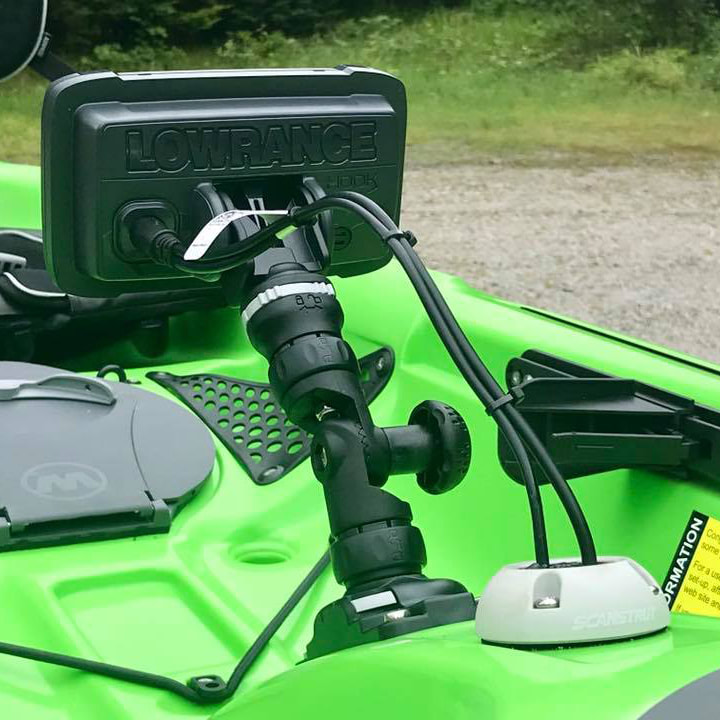
2. Mount The Display Unit
Most fish finders come with a bracket or base. Here’s how to mount it:
- Place the bracket where you marked.
- Use a drill to make small pilot holes.
- Add marine sealant around the holes to stop leaks.
- Screw the base in tightly, but don’t over-tighten (plastic can crack).
- Attach the display unit.
If you use track mounts, you can move the unit or remove it for storage.
3. Install The Transducer
This is the most important step for good performance. There are three main ways:
A. Scupper Mount
Some kayaks have a “scupper” hole designed for transducers.
- Remove the scupper plug.
- Place the transducer into the hole.
- Secure it with the included hardware.
- Run the cable up through the scupper.
This gives clear readings, but not all kayaks have this feature.
B. Inside Hull Mount (in-hull)
If your kayak has a smooth plastic hull, you can mount the transducer inside.
- Clean the area inside the hull.
- Use marine silicone or a special “in-hull” kit.
- Press the transducer into the silicone, making sure no air bubbles are under it.
- Let it dry before moving the kayak.
Tip: Never use glue with air bubbles, or your sonar won’t work.
C. Over-the-side Arm
If you can’t use the other methods, buy or make an arm that hangs over the side.
- Attach the arm to a gear track or side rail.
- Clamp the transducer to the end.
- Lower it into the water when you start fishing.
This is easy but can get in the way of paddling.
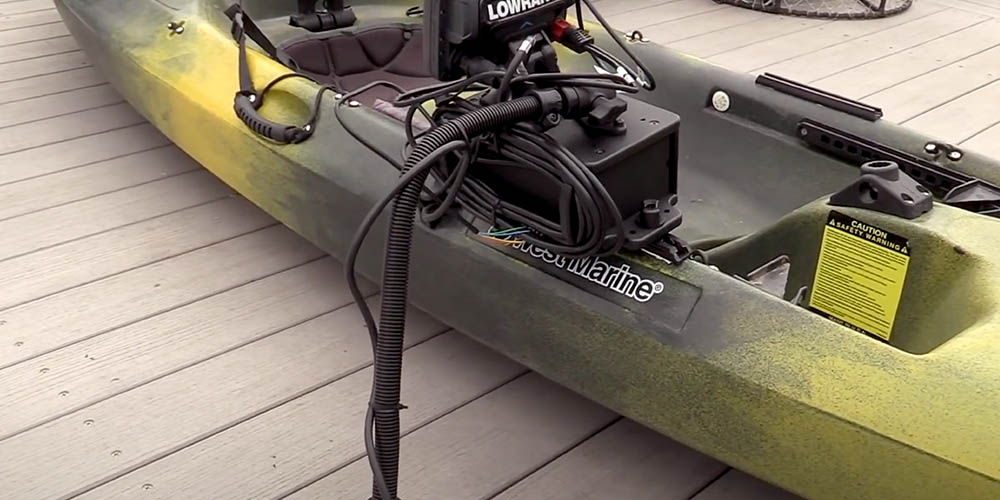
4. Wire The System And Connect Power
Safe wiring is key for reliable use.
- Measure the distance from the battery to the unit.
- Run the wires neatly, using zip ties or clips.
- Seal any holes with marine sealant.
- Connect the power cable to your battery (red to positive, black to negative).
- Use a fuse close to the battery for safety.
- Put the battery in a waterproof box and secure it inside the kayak.
Most setups use a 12V 7-10Ah sealed battery. Lithium batteries are lighter but cost more.
5. Test Everything
Before you hit the water, test your setup:
- Turn on the fish finder.
- Check the display and sonar reading.
- Move the transducer slightly to see if the image changes.
- Make sure the wires are secure and not in the way.
If you see odd readings or no signal, check the battery, connections, and transducer position.
Key Installation Methods Compared
Here’s a quick look at the main ways to mount a transducer:
| Mounting Method | Pros | Cons |
|---|---|---|
| Scupper Mount | Easy, clean, great signal | Needs special scupper, not on all kayaks |
| In-Hull Mount | Protected, no drag, works on most kayaks | Signal loss if not installed right |
| Over-the-Side Arm | Simple, fits any kayak | Can get in the way, more drag in water |
Common Mistakes And How To Avoid Them
Many beginners make simple errors. Here are mistakes to watch for:
- Drilling without planning: Always check under the spot before drilling. Wires, foam, or thin plastic can be damaged.
- Ignoring waterproofing: Every hole in your kayak is a risk for leaks. Use marine sealant generously.
- Mounting the transducer at an angle: The sonar needs to point straight down. Even a small tilt can ruin your readings.
- Poor battery storage: An unsecured battery can slide or tip, causing power loss or even sparks.
- Skipping the fuse: A fuse protects your fish finder from short circuits—a must for safety.
Tips For A Reliable, Tidy Installation
- Use short cables when possible to reduce mess and voltage loss.
- Label your wires so you remember what each one does.
- Use a quick-disconnect plug if you want to remove your fish finder for travel.
- Keep all electronics off the floor of the kayak, where water collects.
- Check connections and seals every few trips.
Credit: www.kayakfishing.blog
Choosing The Right Fish Finder For Your Kayak
Not every fish finder fits every kayak. Here’s what to look for:
| Feature | Why It Matters | Kayak-Specific Tips |
|---|---|---|
| Screen Size | Larger screens are easier to see | 4-5 inch screens fit most kayaks |
| Power | More power means deeper, clearer images | Look for 200W or higher for most lakes |
| GPS | Helps with navigation and marking spots | Very helpful if you fish big lakes |
| Waterproof Rating | Keeps the unit safe from splashes | Choose IPX6 or better |
Non-obvious tip: Some fish finders let you record trips and mark waypoints. If you fish in tournaments or unfamiliar areas, this can be a big advantage.
Real-world Example: Installing On A Sit-on-top Kayak
Let’s look at a typical setup. Alex, a weekend angler, bought a 10-foot sit-on-top kayak and a popular 5-inch fish finder.
- He chose an in-hull mount because his kayak had no scupper.
- He used a waterproof box for his 12V battery, placed behind his seat.
- The display went on a track mount in front, so he could take it off after fishing.
- Alex used zip ties to keep wires neat and out of the way.
- He added a waterproof fuse holder for safety.
After testing, Alex found his readings were accurate to 50 feet deep. He now finds underwater humps and fish schools he never saw before.
Maintenance And Troubleshooting
A fish finder isn’t set-and-forget. It needs basic care:
- Rinse the unit and cables with fresh water after each trip.
- Check for loose screws or wires monthly.
- Keep the battery charged, but don’t overcharge it.
- Store the display indoors if possible.
If you see weak signals or strange images, check for air bubbles under the transducer or damaged wires.
Pro tip: Carry a small tool kit and spare fuse with you, just in case.
Safety And Legal Notes
Some lakes and parks restrict drilling or attaching electronics. Always check local rules before installing. Also, keep wires away from moving parts, and never block the drain holes (scuppers) of your kayak.
Credit: www.westmarine.com
Other Accessories To Consider
Once your fish finder is installed, you might want:
- Extra rod holders to keep your hands free
- Dry bags for valuables
- GPS apps that work with your fish finder
- Portable solar charger for longer trips
These upgrades can make your kayak fishing more comfortable and effective.
Frequently Asked Questions
How Long Does It Take To Install A Fish Finder On A Kayak?
It usually takes 1 to 3 hours. If you already have the right tools, the process is faster. Planning and measuring take the most time, but rushing leads to mistakes.
Can I Install A Fish Finder Without Drilling Holes?
Yes, with track mounts or over-the-side arms, you can often avoid drilling. Some kayaks have gear tracks or mounting points for this reason. However, securing wires and the battery may still need small holes.
What Size Battery Do I Need For My Fish Finder?
Most kayak fish finders need a 12V 7-10Ah sealed battery. This size provides 8-12 hours of use. Lithium batteries are lighter and last longer but cost more.
Does Water Inside The Kayak Affect The Transducer?
If you use an in-hull mount, a small amount of water between the transducer and the hull is okay—it can even help the sonar signal. But too much water or air bubbles will cause problems.
What Is The Best Fish Finder For Small Kayaks?
A compact, waterproof unit with a 4-5 inch screen is best. Look for models with simple controls, good battery life, and an IPX6 rating. For reviews and comparisons, you can visit Outdoor Life.
Installing a fish finder on your kayak opens up a whole new world under the water. With the right tools, careful planning, and a little patience, you’ll not only find more fish—you’ll enjoy your time on the water even more.
Stay safe, keep your installation tidy, and happy fishing!